
Company details
Settings → Company details
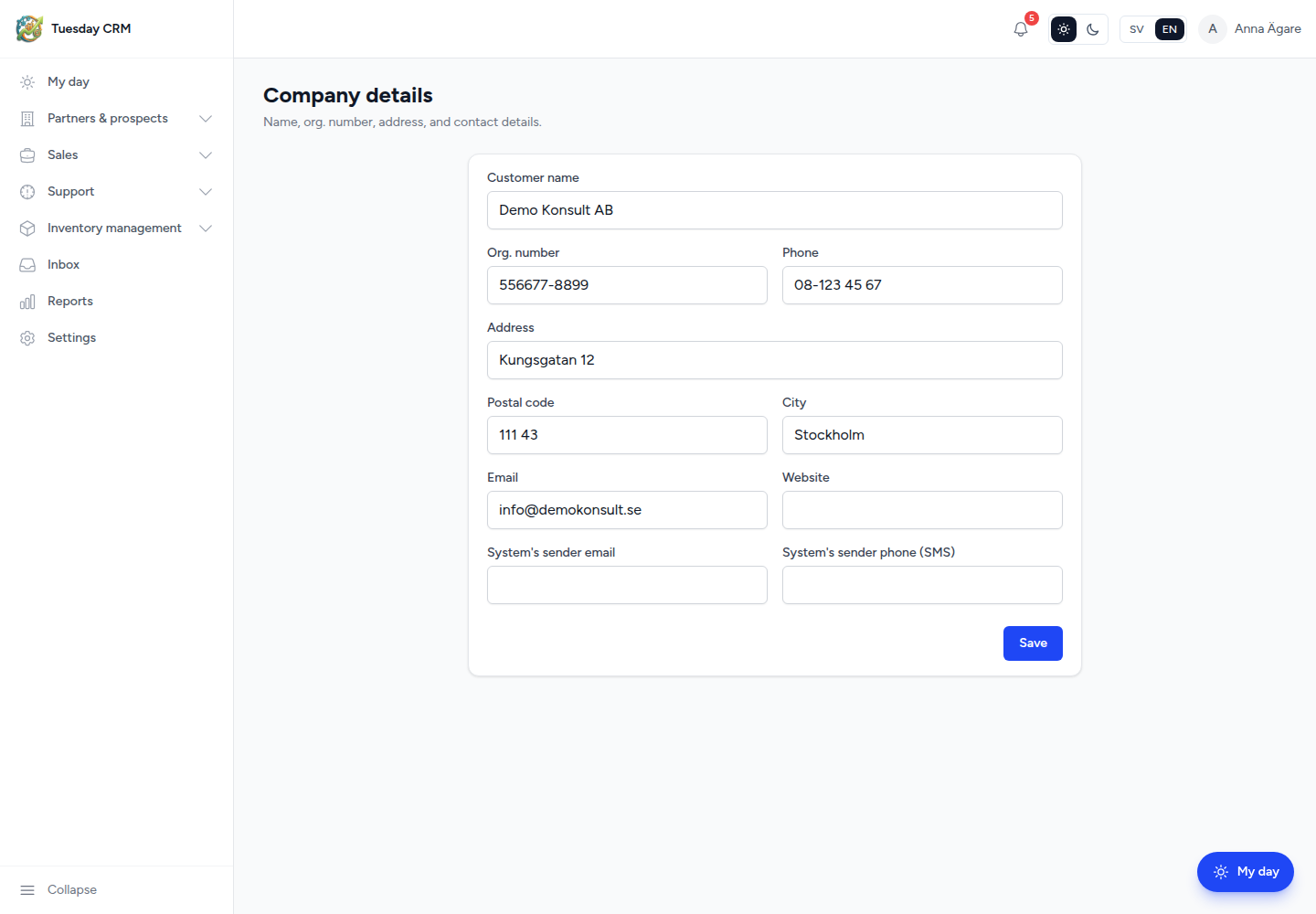
Edit your company’s identity: the name people see on documents and the addresses Tuesday uses when it sends mail or SMS.
Name, org. number, address, and contact details.
Who can open this
CEO and Administrator by default. Other roles only if an admin grants the Company details card on Users.
What to fill in
| Field | Why it matters |
|---|---|
| Company name (required) | Shown in the product and in outbound messages |
| Org. number | Legal / invoice identity |
| Address, Postal code, City | Printed and official address |
| Phone, Email, Website | Public contact details for the company |
| System's sender email | From-address when Tuesday sends system mail and when no helpdesk mailbox is used |
| System's sender phone (SMS) | Sender number for SMS reminders (needs SMS to be configured) |
This is not the customer or partner record. Those live under Partners and End User Organizations.
Save
Click Save at the bottom of the card. Tuesday keeps the previous values if a field fails validation (for example an invalid email).
The owner Get started wizard collects the same company name early on. You can refine address and sender details here at any time.
← Settings