
Opportunities
Opportunities are deals in your sales pipeline. Open Sales → Opportunities. The list can look like the other tables, or like a kanban board of stages.
The subtitle: Grouped like Sold units. Switch to pipeline to drag cards between stages.
Main table vs Pipeline
Use the toggle at the top:
| Mode | English label | What you do |
|---|---|---|
| Table | Main table | Same Views, Columns, and Groups as other lists. Good for filtering, bulk edits, and wide data. |
| Kanban | Pipeline | One column per stage. Drag a card to move the deal. |
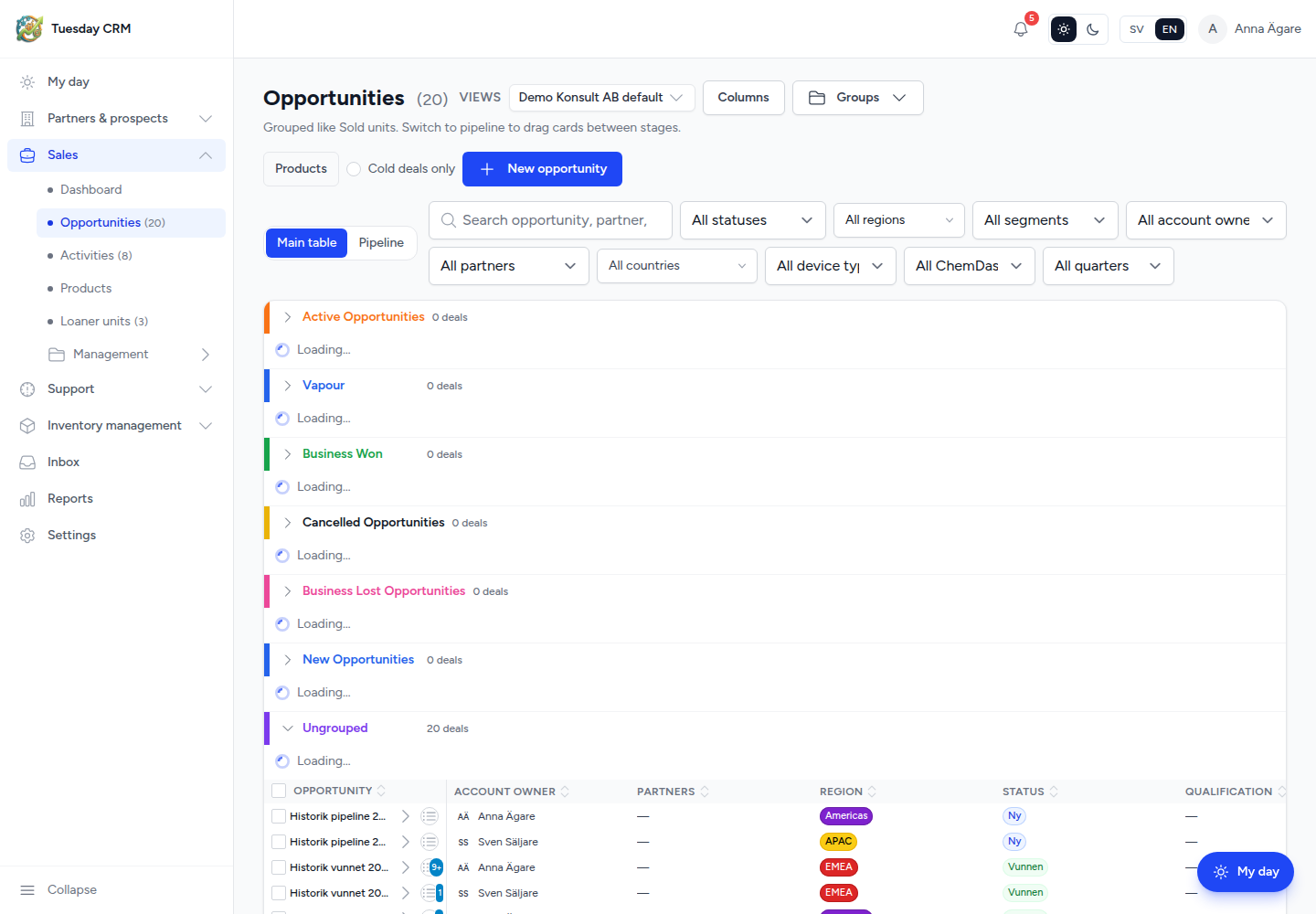
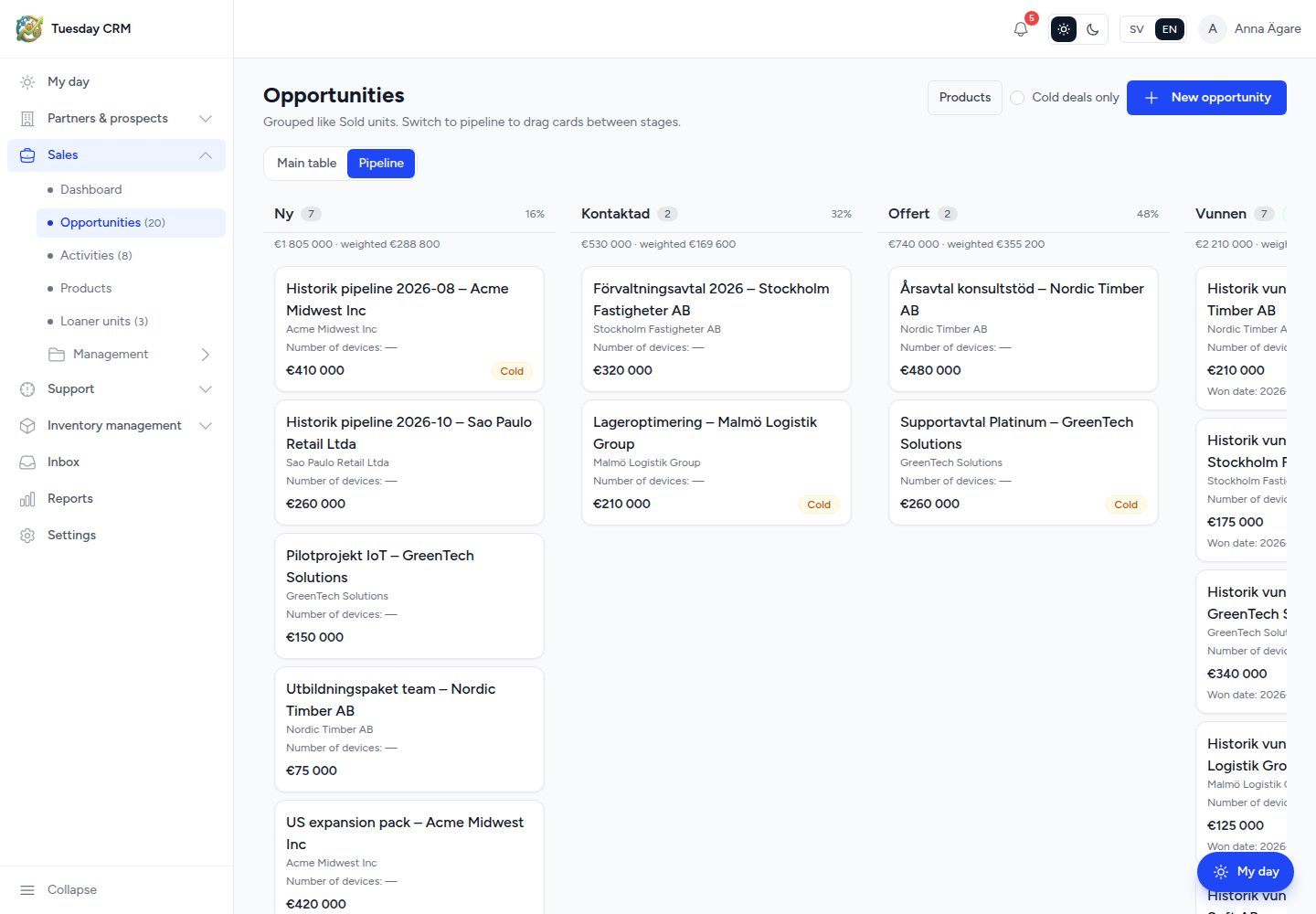
Stage names, order, type (open / won / lost), and win probability (%) are configured in Settings → System fields → Pipeline stages. Reports weight deal value by that probability.
Create an opportunity
- Click New opportunity.
- In the side panel, set the name, account (end-user organization), partner if relevant, value, stage, owner, and dates.
- Save.
You can also create a deal from an organization or contact when those records offer it.
Edit a deal
- Main table: hover a cell, open the row panel, or click through to the deal page.
- Pipeline: drag the card to another stage. Confirm if Tuesday asks.
On the deal page you typically set value, stage, account, who at the partner may see the deal, products / BOM, and you read the timeline. Won and lost stages show a banner so the outcome is obvious.
Visibility (Own deals only vs Entire company) is a user setting on Users. Sales and support users see their own deals by default unless an admin widens that.
Search and cold deals
Search placeholder: Search opportunity, partner, account…
Cold deals only limits the list to open deals with no recent activity (the same idea as Cooling deals on My day).
Click a stage name, owner, or region cell on the table to filter. Pipeline mode still respects those filters.
Products and BOM
Line items live on the deal. You can start from a product in Sales → Products (a product’s standard BOM is copied onto the deal) or add rows by hand. Product catalog setup is outside this chapter; the deal page is where you attach what you are selling.
Groups vs stages
On Main table, Groups are colored sections (region, owner workflow, or however your company set them). They do not replace pipeline stages. Do not rename a group thinking you renamed a stage — use System fields for that.
Next: Support tickets.