
Navigating
After you sign in, Tuesday is a sidebar on the left and your current page on the right. The header stays at the top on every screen.
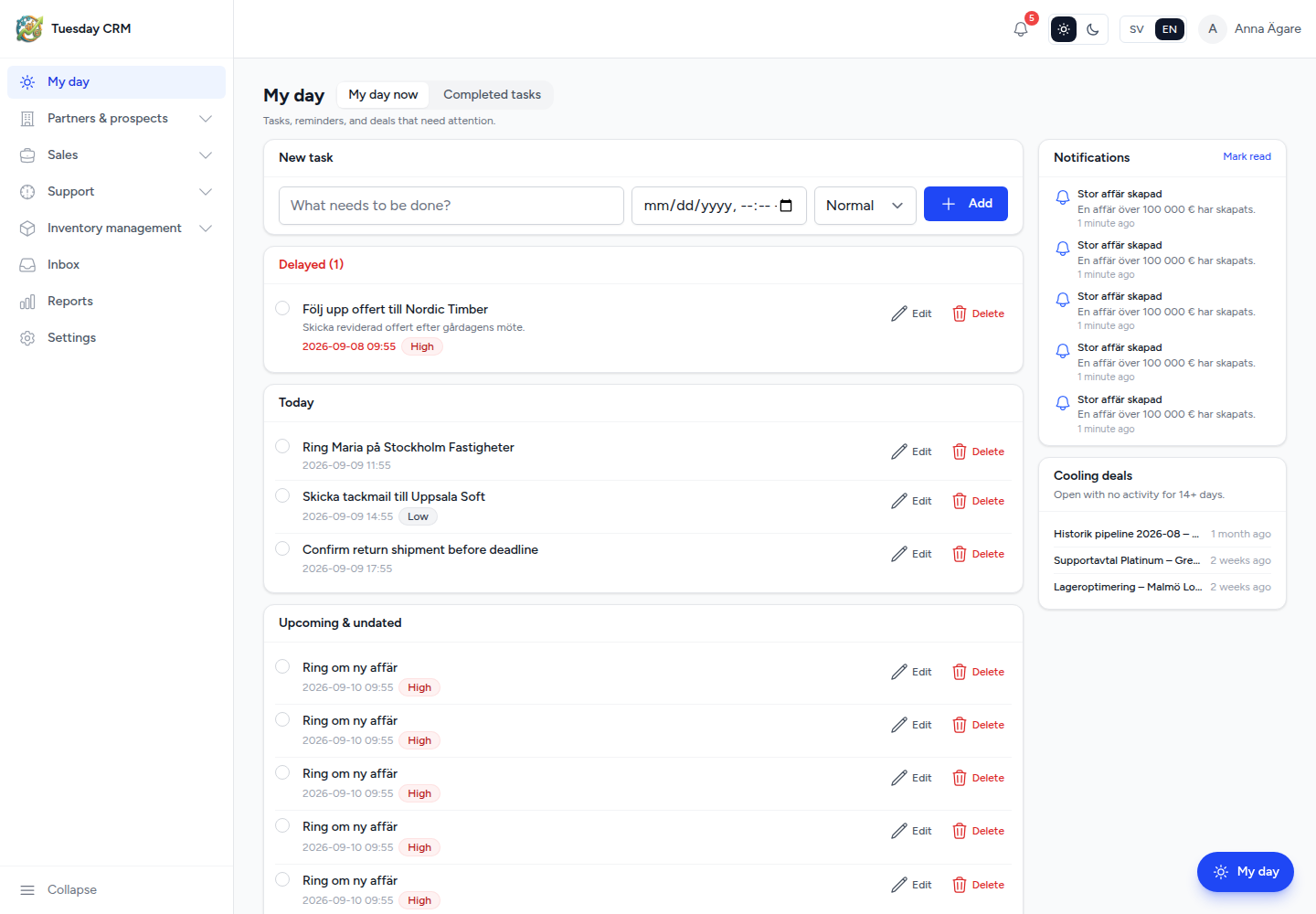
Sidebar
The built-in menu is grouped into folders. Your company or you can rearrange it under Settings → Menu. Access rights still apply: hiding an item does not grant access, and items you cannot use stay out of the menu.
Typical folders:
| Folder | What you open |
|---|---|
| My day | Your tasks, reminders, and deals that need attention |
| Partners & prospects | Contacts, Partners, End User Organizations, End User Contacts, newsletter recipients, adjacent vendors, vendor contacts |
| Sales | Dashboard, Opportunities, Activities, Products, Loaner units, and (for some roles) Management |
| Support | Dashboards, Tickets, Suggestions, QC Tracking, RMA, Reports, Employee Directory |
| Inventory management | Sold, Loan, Internal, Instrument inventory (internal roles) |
| Inbox | Connected mailboxes |
| Reports | Sales reports |
| Settings | Company setup (last built-in item) |
Partner users see a flatter menu: My day, Contacts, Sales, Support, Inbox, Reports — not inventory or Management extras.
Collapse the menu
Use Collapse menu / Expand menu at the bottom of the sidebar when you need more room for a wide table.
Search
The sidebar search box is labeled Search everywhere…. Type to jump to contacts, customers, partners, and opportunities. Items you hid in Menu can still appear here or via a direct link.
Header
On the right of the header you typically have:
- Notifications (bell) — in-app reminders you chose under Notifications & reminders
- Theme — light, dark, or system
- Language — English or Swedish. This manual uses English labels.
- Your name — opens a menu with Profile, Settings (if you have the Settings module), and Log out
- Install app — optional, on browsers that support installing Tuesday as a PWA
If a superadmin is signed in as you, a banner explains that and offers Return to Superadmin.
Profile is not Settings
| Profile | Settings | |
|---|---|---|
| Where | Header → your name → Profile | Sidebar Settings, or header → Settings |
| Who | Every signed-in user | Anyone with the Settings module (not Partners) |
| What | Your name, email, password, delete your account | Company, users, fields, billing, security, menu, and the rest of this guide |
Language and theme live in the header, not on the Profile page.
On Profile you can update your display name and email, change your password, or delete your own account. Company-wide security (MFA for your login, trusted devices) is under Settings → Security.
Roles (what the menu looks like)
Tuesday roles in English:
| Role in the UI | Typical access |
|---|---|
| CEO | Everything, including Management and all Settings cards |
| Administrator | Same as CEO for company setup |
| Sales / Quality Control / Viewer | Most CRM modules; Management is off unless granted |
| Support | Support module by default; other modules if an admin grants them |
| Partner | Scoped contacts, sales, and support — no Settings |
A CEO or Administrator can change this per role and per user on Users. If you open a link you are not allowed to use, Tuesday shows an error instead of the page.
Other ways in
- Get started — owner onboarding after signup (Welcome and sign-in)
- Quick — a small page for capturing a task, note, photo, or voice note on a phone (including offline)
- A back control on many records returns you to the list you came from, with that list’s filters still applied
Next: Tables, views, and groups.