
My day
My day is your personal start page: tasks, reminders, and deals that have gone quiet. Open it from the top of the sidebar.
The subtitle on the main tab is Tasks, reminders, and deals that need attention.
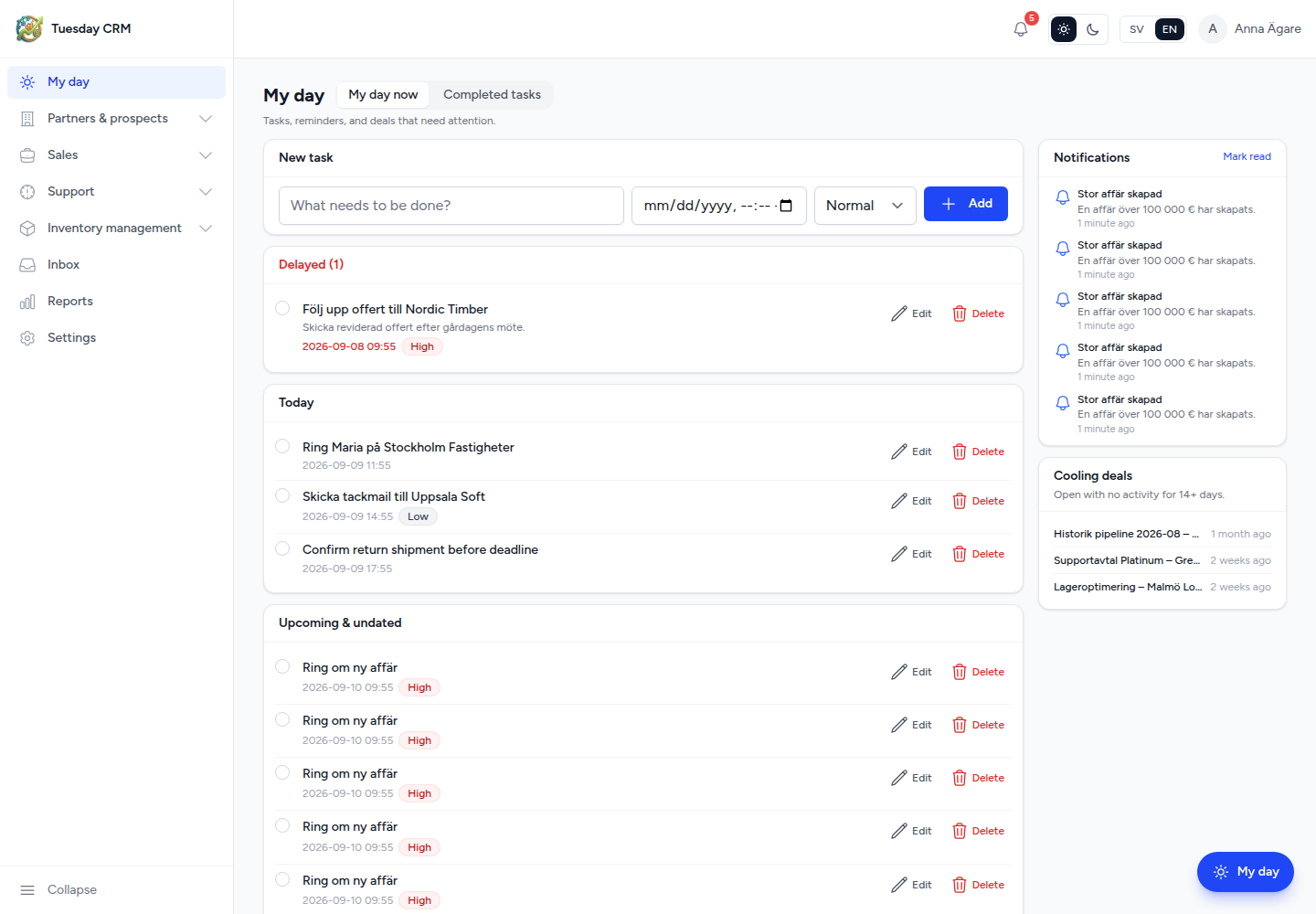
Tabs
| Tab | What it shows |
|---|---|
| My day now | Open tasks, overdue items, reminders, and cooling deals |
| Completed tasks | Tasks you have marked complete |
Add a task
On My day now, use the New task card:
- Type what needs to be done in What needs to be done?
- Optionally set a due date and time.
- Choose a priority.
- Click Add.
The task appears in your list. You can mark it complete from the row. Completed items move to the Completed tasks tab.
Connect a task to CRM work
A task can stay personal, or you can connect it to a contact, activity, or opportunity. Connected tasks also show under Updates on that record, so colleagues see the same follow-up.
Use the connect control on the task row and pick:
- Choose contact…
- Choose activity…
- Choose opportunity…
The help text in the UI: Connect this task so it also appears under Updates on the chosen contact, activity, or opportunity.
Overdue and upcoming
Tasks whose due time has passed are grouped so you can clear them first. Upcoming tasks stay in the main list with their due time and priority.
Reminders follow the channels and timing you set in Settings → Notifications & reminders (in-app bell, email, SMS).
Cooling deals
The Cooling deals card lists open opportunities with no activity for 14+ days. Open a deal from the list to add an update, move the stage, or close it. This is the same idea as Cold deals only on the Opportunities list.
If the card is empty, you are up to date: No cold deals right now.
Notifications
The header bell shows in-app reminders (tasks, deals, meetings, trial ending — whatever you enabled). My day is the place to do the work; the bell is the nudge.
You can also add a task to My day from other records when you see Add to My day.
Next: Contacts and organizations.